n8n 3.0 Breaking Changes: How to Upgrade Without Breaking Your Workflows
Every n8n 3.0 breaking change that can stop your workflows — removed nodes, new env var defaults, storage path changes — plus a safe step-by-step Docker upgrade and rollback plan.
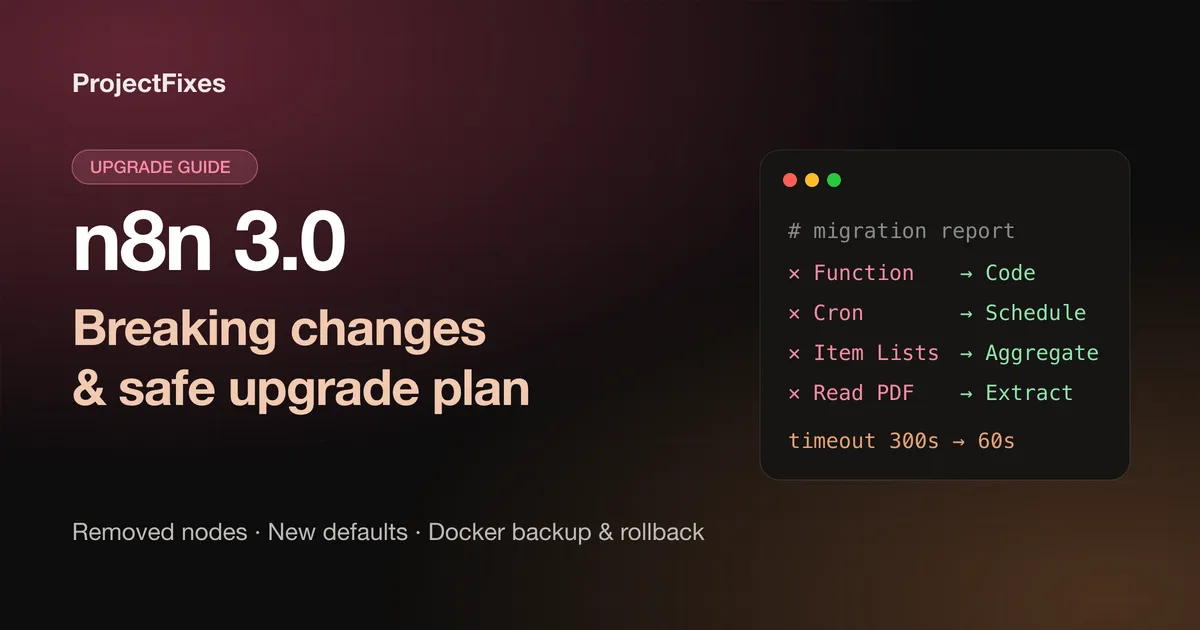
On this page
n8n 3.0 is scheduled for October 2026, and it is the kind of release that quietly breaks things. Workflows that have run untouched for two years can stop the morning after you pull the new image — not because of a bug, but because a node they depend on no longer exists, or because an environment variable you never set suddenly has a stricter default.
This guide walks through every breaking change that matters for self-hosted instances, groups them by how likely they are to hurt you, and gives you a copy-paste upgrade and rollback plan for Docker. Everything here comes from n8n’s official v3.0 breaking changes and backup and restore documentation.
TL;DR: the 60-second checklist
Before you touch the image tag:
- Open Settings → Migration Report in your current instance and fix everything it lists.
- Search your workflows for the removed nodes below — especially Function, Function Item, Item Lists, Cron and Interval.
- Check your environment variables against the defaults that changed. The Code node timeout drops from 5 minutes to 1 minute.
- If you mount
~/.n8n/binaryData, update the mount — the folder is renamed to~/.n8n/storage. - Take a full backup: the
.n8nvolume (it holds your credential encryption key) plus your database. - Pin the version you are upgrading to. Never upgrade production by pulling
latest.
If you still install n8n with npm or npx n8n, stop here and read the next section first — that path is gone.
1. npm and npx installs are no longer supported
n8n 3.0 requires a Docker-based deployment. If your server runs npx n8n under PM2 or systemd, you need to move to Docker (Docker Compose is the recommended setup) before or as part of this upgrade.
The move is less painful than it sounds, because everything stateful lives in one folder. Stop n8n, copy your ~/.n8n folder, and mount it into the container at /home/node/.n8n:
       # docker-compose.yml
services:
  n8n:
    image: n8nio/n8n:2.37.10 # pin the version you run today; bump it deliberately
    restart: unless-stopped
    ports:
      - '5678:5678'
    volumes:
      - ./n8n-data:/home/node/.n8n # your existing ~/.n8n folder
    environment:
      - GENERIC_TIMEZONE=Asia/Kolkata
Start it on your current version first and confirm everything works in Docker. Only then change the tag to 3.0. Changing the runtime and the major version in one step makes it impossible to tell which change broke what.
2. Nodes that are removed (the most likely breakage)
Any workflow that still contains one of these nodes will fail after the upgrade. The good news: every one has a direct replacement.
| Removed node | Replace with |
|---|---|
| Function, Function Item | Code node — “Run Once for All Items” or “Run Once for Each Item” |
| Item Lists | Split Out, Aggregate, Sort, Limit, Remove Duplicates or Summarize |
| Cron, Interval | Schedule Trigger |
| HTML Extract | HTML node → “Extract HTML Content” |
| iCalendar | Convert to File → “Convert to ICS” |
| Read Binary File(s), Write Binary File | Read/Write Files from Disk |
| Read PDF | Extract from File → “Extract From PDF” |
| OpenAI (legacy), OpenAI Assistant | Current OpenAI node (Assistant resource) |
| OpenAI Model | OpenAI Chat Model |
| Manual Chat Trigger | Chat Trigger |
| Chat Messages Retriever | Chat Memory Manager or Chat Trigger |
Also removed: the legacy LangChain Code node, the Workflow Trigger, SerpApi, Orbit, the Motorhead and Zep memory nodes, several document loaders (Binary Input, JSON Input, GitHub), and the older vector store nodes (In Memory, Pinecone Insert/Load, Supabase Insert/Load, Zep). AI Transform is migrated to a Code node automatically.
The AI Agent node loses its old modes
Version 1 of the AI Agent node is removed, along with its agent-type modes: SQL Agent, Conversational Agent, OpenAI Functions Agent, Plan and Execute Agent and ReAct Agent. Update those nodes to the latest version. If you relied on the SQL Agent, attach the Postgres or MySQL tool sub-nodes to a current AI Agent instead.
Rewriting a Function node as a Code node
Most Function nodes port over with small edits. The Code node in “Run Once for All Items” mode receives every item and must return an array of { json } objects:
       // Code node — mode: Run Once for All Items
return $input.all().map((item) => ({
	json: {
		...item.json,
		fullName: `${item.json.firstName} ${item.json.lastName}`.trim()
	}
}))
Two related removals to search for in your expressions and Code nodes:
$getPairedItemis gone. Use$('Node Name').itemor the standardpairedItemlinking instead.$evaluateExpression()is removed from the JavaScript Code node. Evaluate the expression in a node field first (for example with Edit Fields) and read the result in your code. It still works inside{{ }}expression fields.
3. Sub-workflows: three changes that fail silently
The Execute Sub-workflow node changes in ways that don’t always produce an obvious error:
- “Local File” and “URL” sources are removed (node versions 1.1 and older). Import the sub-workflow into n8n and select it with the Database source, or paste its JSON with Define Below.
- “Run once for each item” mode is removed. Put a Loop Over Items node in front of Execute Sub-workflow and use “Run once with all items”.
- “Any workflow” is removed from the “This workflow can be called by” setting. Sub-workflows still set to “Any workflow” reject every call until you change the setting to “Selected workflows” or the same-project option and save. This is the one most likely to break production quietly, because the parent workflow is the one that errors — not the sub-workflow you would think to check.
Defaults that changed silently
These don’t remove anything, so nothing flags them in the editor. They change behaviour at runtime.
| Variable | Old default | n8n 3.0 default | What breaks |
|---|---|---|---|
N8N_RUNNERS_TASK_TIMEOUT | 300 s | 60 s | Code node tasks longer than a minute fail |
N8N_UNVERIFIED_PACKAGES_ENABLED | true | false | Installing unverified community nodes |
N8N_COMPRESSION_NODE_MAX_DECOMPRESSED_SIZE_BYTES | 2 GiB | 256 MiB | Large archives in the Compression node |
N8N_COMPRESSION_NODE_MAX_ZIP_ENTRIES | 5,000 | 1,000 | Zips with many files |
If you have long-running Code nodes, set the timeout explicitly rather than hoping your tasks stay under a minute:
       environment:
  - N8N_RUNNERS_TASK_TIMEOUT=300
  # Only if you really process archives this large:
  - N8N_COMPRESSION_NODE_MAX_DECOMPRESSED_SIZE_BYTES=2147483648
  - N8N_COMPRESSION_NODE_MAX_ZIP_ENTRIES=5000
Environment variables that were removed or renamed
Remove these from your compose file or .env before upgrading:
N8N_PRE_EXECUTE_ERROR_CREATES_EXECUTION— removed.OFFLOAD_MANUAL_EXECUTIONS_TO_WORKERS— removed; in queue mode, manual executions now always run on workers. Check your worker memory.N8N_DB_PING_TIMEOUT— no longer read. UseDB_PING_TIMEOUT_MS.N8N_MIGRATE_FS_STORAGE_PATH— removed (see storage below).N8N_DEFAULT_BINARY_DATA_MODE=default— the in-memory mode is gone and is switched tofilesystemautomatically. Valid values arefilesystem,s3,azureanddatabase. If you were on the default, make sure the disk has room for binary data.
4. The storage folder is renamed
~/.n8n/binaryData becomes ~/.n8n/storage. If you mount the whole .n8n folder (as in the compose file above), there is nothing to do. If you mount binaryData separately — common when binary data lives on a bigger disk — either:
- change the mount target to
/home/node/.n8n/storage, or - set
N8N_STORAGE_PATHto the old path to keep using it.
If both folders end up existing, move the contents into the new one, delete the old one and restart.
5. Behaviour changes worth testing
- Always Output Data on multi-output nodes such as If and Switch now adds an empty item only when every output is empty. Previously each empty output got one. Branches that relied on always receiving an item may stop running.
- Gmail Trigger versions 1–1.3 now behave like 1.4: “Max Emails per Poll” applies to every poll (default 10, max 50), drafts are skipped unless you enable Include Drafts, and sent or scheduled emails no longer trigger the workflow.
- Chat Trigger WebSocket frames are now JSON objects with a
typefield (message,heartbeat,continue,error,with-buttons). If you use the@n8n/chatwidget, update it to 1.31.0 or later. Custom chat clients must parse the JSON and switch ontype. - Chat Hub is disabled by default (removal is planned for n8n 4.0). Your sessions and messages stay in the database; add
chat-hubtoN8N_ENABLED_MODULESto turn it back on. - Importing a workflow from a URL in the editor is removed. Copy-paste, file import, the CLI and the API still work.
6. Security changes (good news, but check your integrations)
If you run with N8N_SSRF_PROTECTION_ENABLED=true, the default block list now also covers the shared address space 100.64.0.0/10 and IPv6 transition ranges. That range is used by carrier-grade NAT and by some VPN and overlay networks such as Tailscale — so an HTTP Request to an internal service on one of those addresses can start failing. Allow exactly what you need rather than dropping the protection:
       environment:
  - N8N_SSRF_PROTECTION_ENABLED=true
  - N8N_SSRF_ALLOWED_HOSTNAMES=api.internal.example.com
  # or a specific range:
  - N8N_SSRF_ALLOWED_IP_RANGES=100.64.10.0/24
Keep the default keyword in N8N_SSRF_BLOCKED_IP_RANGES; if you list ranges manually you have to list all of them. If a request is blocked you’ll see “The request was blocked because it resolves to a restricted IP address” — we cover that error, and the Docker networking problems that look similar, in how to fix ECONNREFUSED in n8n on Docker.
On Enterprise, the “Enable external secrets for project roles” setting is removed: project editors and admins get external-secrets access by default, so use custom project roles if you need to restrict it. Webflow OAuth2 credentials now request v2 API scopes on their next reconnect unless you enable Legacy first.
Step-by-step: upgrading a Docker Compose instance
Step 1 — Clear the Migration Report
In your current version, open Settings → Migration Report. It lists affected nodes and settings per workflow. Fix everything there first, while the old version is still running and you can test each change.
Step 2 — Take a full backup
n8n’s own guidance is to take a full backup before every update. A full backup has two parts:
- The
.n8nfolder (then8n_datavolume in Docker). It contains theconfigfile with your credential encryption key — without it, a restored database can’t decrypt any credential. With the default SQLite database it also holds the database itself. - Your PostgreSQL database, if you use one, dumped with your usual tooling.
With SQLite, stop n8n before copying so you don’t snapshot a half-written database file:
       docker compose stop n8n

# Named volume: archive it with a throwaway container
docker run --rm -v n8n_data:/data -v "$PWD":/backup alpine \
  tar czf /backup/n8n_data-$(date +%F).tgz -C /data .

# Bind mount (./n8n-data): just archive the folder
tar czf n8n-data-$(date +%F).tgz ./n8n-data

# PostgreSQL only
docker compose exec postgres pg_dump -U n8n -d n8n > n8n-db-$(date +%F).sql
For a second, portable copy of your workflows and credentials, use the CLI. The --backup flag means --all --pretty --separate. Write to a mounted directory — a backups/ folder inside the container is lost when the container is recreated — and use separate folders for workflows and credentials:
       docker compose start n8n
docker compose exec n8n n8n export:workflow --backup --output=/home/node/.n8n/backups/workflows/
docker compose exec n8n n8n export:credentials --backup --output=/home/node/.n8n/backups/credentials/
A CLI export does not include users, execution history, variables or the encryption key, so it complements the volume backup rather than replacing it.
Step 3 — Update your environment
Apply the changes from the sections above: remove deleted variables, set N8N_RUNNERS_TASK_TIMEOUT if you need it, fix the storage mount, and update your chat widget.
Step 4 — Pin the new version and start it
       services:
  n8n:
    image: n8nio/n8n:3.0.0 # use the exact 3.x release you tested
docker compose pull
docker compose down
docker compose up -d
docker compose logs -f n8nWatch the logs until the database migrations finish and the editor is reachable. Then run each critical workflow once manually, and check that your triggers (webhooks, schedules, Gmail) fire.
Rollback plan
If something is badly broken, don’t try to “fix forward” under pressure:
docker compose down- Put the old image tag back in
docker-compose.yml. - Restore the
.n8nvolume (and database dump) from Step 2 — the new version has already migrated the database schema, so the old version needs the old data. docker compose up -d
This is exactly why you pin versions: a rollback is only one line if you know what “the old version” was.
Frequently asked questions
When is n8n 3.0 released?
n8n’s changelog lists 3.0 as scheduled for October 2026. Test it in a staging copy of your instance first — n8n recommends using Environments for this.
Will my workflows be migrated automatically?
Only a few things are: AI Transform nodes become Code nodes, and the in-memory binary data mode switches to filesystem. Removed nodes such as Function, Item Lists and Cron are not converted for you. Use the Migration Report to find them.
Can I still run n8n with npm or npx?
No. n8n 3.0 supports Docker-based deployments only. Move to Docker on your current version first, then upgrade.
Do I need to upgrade immediately?
No — but don’t skip several releases and jump later. n8n recommends updating at least once a month, because small, frequent updates are far easier to debug than one big jump. Clear the Migration Report now while the fixes are small.
Next steps: if your workflows call services on the same machine and start failing after the move to Docker, read how to fix ECONNREFUSED in n8n on Docker. For ideas on what to build once you’re on 3.0, see our 10 AI agent use cases in n8n.
Keep reading
-
 Automation
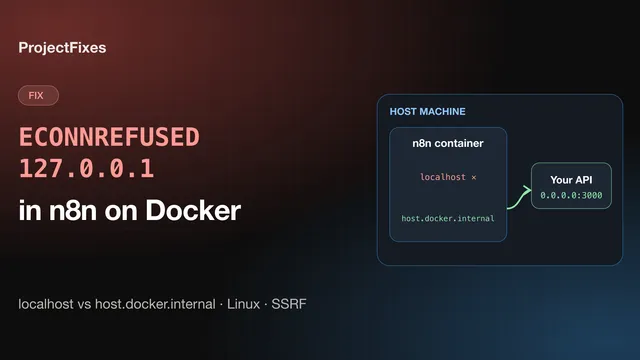
 Fix n8n "ECONNREFUSED 127.0.0.1" in Docker: localhost, host.docker.internal & SSRF
Fix "connect ECONNREFUSED 127.0.0.1" in n8n's HTTP Request node when n8n runs in Docker: localhost vs host.docker.internal, the Linux host-gateway fix, 0.0.0.0 binding, and n8n's SSRF block.
n8nDockerTroubleshootingRead article -
 AI Automation
 10 Insane AI Agent Use Cases in n8n
Discover 10 powerful AI agent use cases built on n8n, from meeting managers to compliance auditors, that save time and cut busywork.
n8nAI AgentsAutomationRead article -
 AI Automation
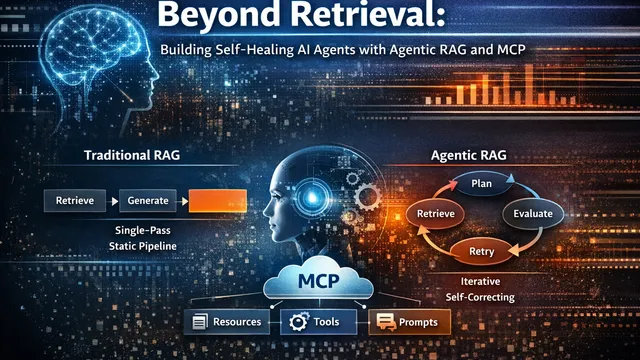
 Beyond Retrieval: Building Self-Healing AI Agents with Agentic RAG and MCP
Why traditional RAG breaks in production and how Agentic RAG with MCP enables reliable, self-healing AI systems.
AIAutomationAgenticRead article -
 AI Automation
 The Agentic Revolution: How Autonomous AI Agents Are Reshaping Business and Blockchain in 2025
An in-depth look at the breakthroughs, business transformations, and blockchain integrations defining the new era of AI.
artificial-intelligenceai-agentsautomationRead article